Built for pursuits, not paperwork
MinerSOQ speaks your vocabulary: disciplines, project types, engineer of record, PE review. It pairs an RFQ with the SOQ that answered it, so the next pursuit starts from the last one.
For engineering & construction firms · SOQs, proposals, scope-and-fee · In your own cloud
Last year’s SOQs, project sheets, resumes and fee estimates are your best marketing material — and they sit on a shared drive nobody can search. MinerSOQ indexes that archive in your own cloud and drafts the next submittal from it. Every project reference and every number is checked against your evidence; anything the archive can’t support is flagged, never invented.
Why firms choose MinerSOQ
Most proposal tools give you a blank page and a template. MinerSOQ starts from the submittals you have already won, and it is honest about what it can’t support.
MinerSOQ speaks your vocabulary: disciplines, project types, engineer of record, PE review. It pairs an RFQ with the SOQ that answered it, so the next pursuit starts from the last one.
SOQs, RFQs, RFPs, proposals, project profiles, resumes, fee estimates, geotech reports, boring logs and insurance certificates are typed automatically. Your firm’s own work ranks first; a client’s RFP is context, not evidence.
A reference has to appear in evidence the model actually saw. If it doesn’t, it stays in the draft marked unsupported until an engineer resolves it. Nothing is silently invented.
Fees, hours, rates, schedules and insurance limits are computed from your inputs and your firm profile. The model writes the narrative; it never writes a number you didn’t give it.
Where the archive is silent, the draft says so and names the gap — survey limits, datum, review cycles, what the client furnishes. It is the list of questions your PE would ask anyway.
Letter proposal, statement of qualifications, full RFP response, scope-and-fee exhibit. The RFQ’s own submittal list reorders the outline so the response mirrors what was asked.
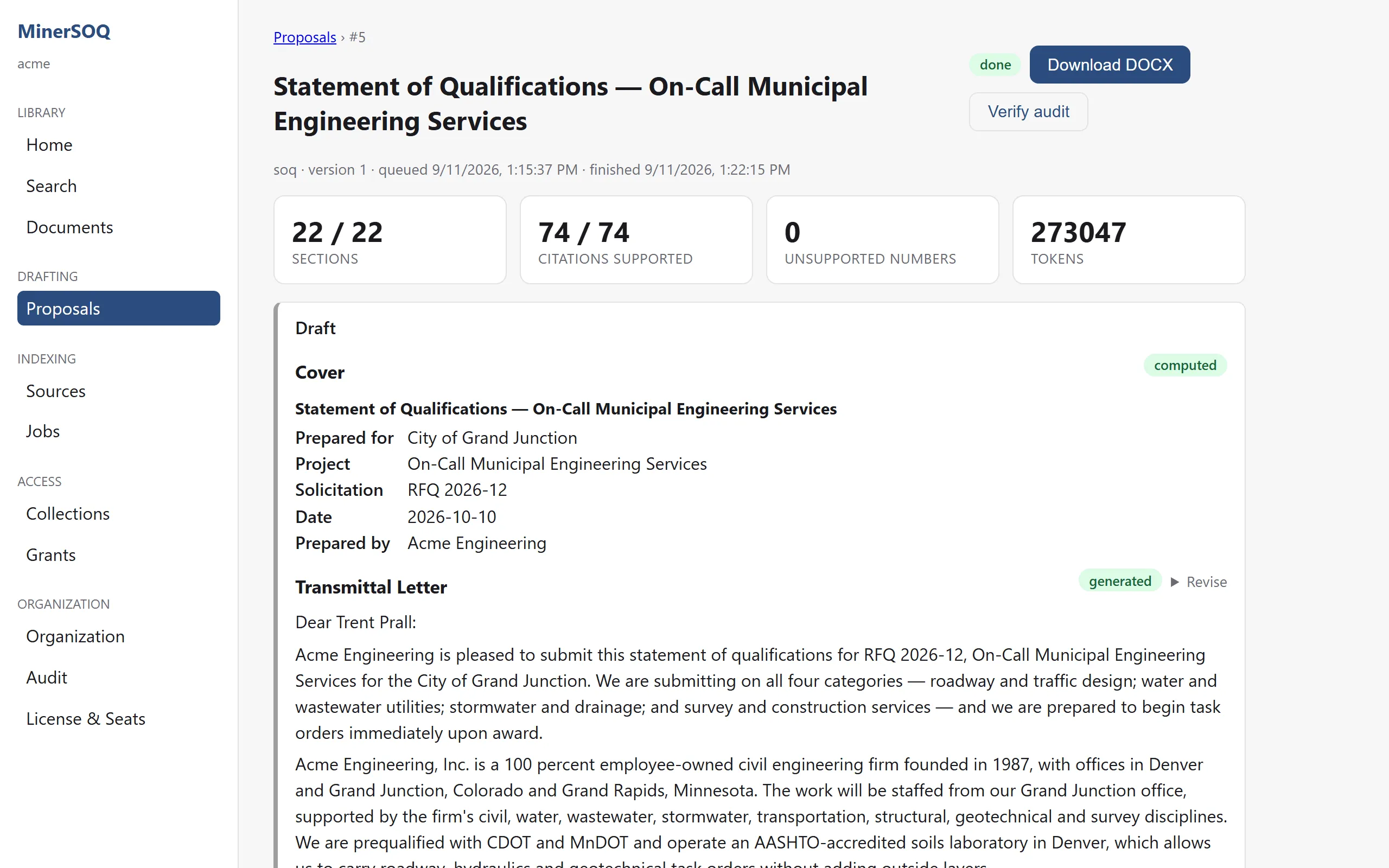
Each section is chained to the evidence it used. Verify audit replays that chain against your index, any time, and tells you whether anything has changed since the draft was written.
The archive and its index live in your organisation’s own tenancy. Generation runs under your licence — or on a local model inside your network when nothing may leave it.
How it works
Point MinerSOQ at the shared drive, SharePoint or OneDrive. Files are classified as they arrive; HR, personal and private folders are never read.
Ask in plain language. Results are routed to the right discipline and come back as document references your team can open.
Choose a format, pick the RFQ or RFP from the archive, and fill in the client, the team and the reference projects.
Sections arrive as they finish, each checked against the evidence. Revise one section and the rest — and its audit — stay put.
A draft-marked Word document with contents, team and insurance tables, and every review marker highlighted.
Built to be checked
These describe how the product is built, not benchmarks. The best evaluation is a submittal you already wrote: we generate it again from your archive and you compare.
Formats
Each format is an outline the generator follows section by section. Pick one, point it at the RFQ or RFP, and the outline reorders itself to mirror the submittal list you were given.
Answers a scope request
Answers an RFQ
Answers an RFP
Attaches to an agreement
Trust
A generated section looks like this. Italics are references the verifier found in your evidence. A marker means it didn’t. A flag means the archive had nothing to say, so the draft asks instead of guessing.
Relevant Experience · generated section
Acme Engineering replaced the wet-well pumps, controls and force-main tie-in under a phased bypass plan that kept the station in service throughout construction (WT21-117 — Elm Creek Lift Station Rehabilitation).The team also provided construction-phase submittal review and start-up support for the district (WT19-042 — Ridgeview Sewer Rehabilitation[UNSUPPORTED]).
Bring a real RFQ and the shared drive it should be answered from. We generate the submittal in your own cloud and you compare it with the one you already wrote.